
Wiggle BOS
One system to run your whole business.
Customers, sales, proposals, projects, money and planning in one place, with Romey to do the typing. Keep the tools you already use.
The Preview opens soon. Get an email when it does.

The problem
Your business is scattered across systems that do not know about each other.
Each holds part of the picture, so the follow-up depends on who remembers.
- CRM
- Spreadsheets
- Proposals
- Projects
- Tasks
- Calendar
- Accounting
- Payments
- Marketing
- Meetings
- AI tools
Everything that runs the business finally works together.

Product
This is your business in Wiggle.
Open Wiggle and know where to look.
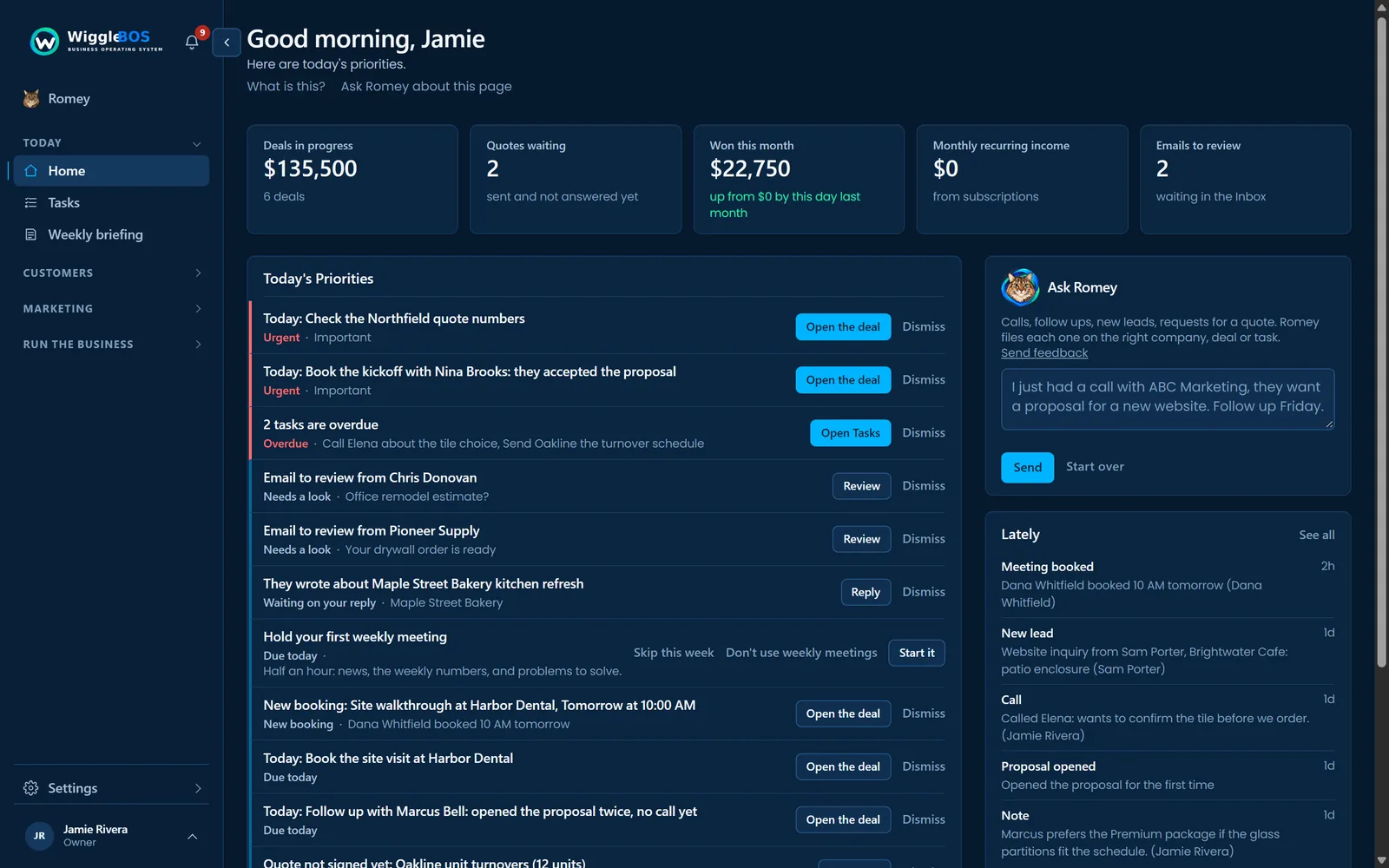
- 1Today's Priorities. What needs you first, from every part of the business.
- 2The numbers. Deals in progress, quotes waiting, won this month, recurring income.
- 3Ask Romey. Tell it what happened; it does the data entry.
How you run the business
Plan, grow, deliver, measure, improve.
PLAN
Business plan, goals, the scorecard and roles.
PlanningGROW
Customers, deals, marketing, reviews, websites and proposals.
Customers and dealsDELIVER
Projects, tasks and scheduling, on one list.
Tasks and projectsMEASURE
Financial Overview, Cash Forecast and the Scorecard.
Money and numbersIMPROVE
The weekly meeting: problems, decisions and actions.
The weekly meeting
Today's Priorities
Know what needs attention before you start your day.
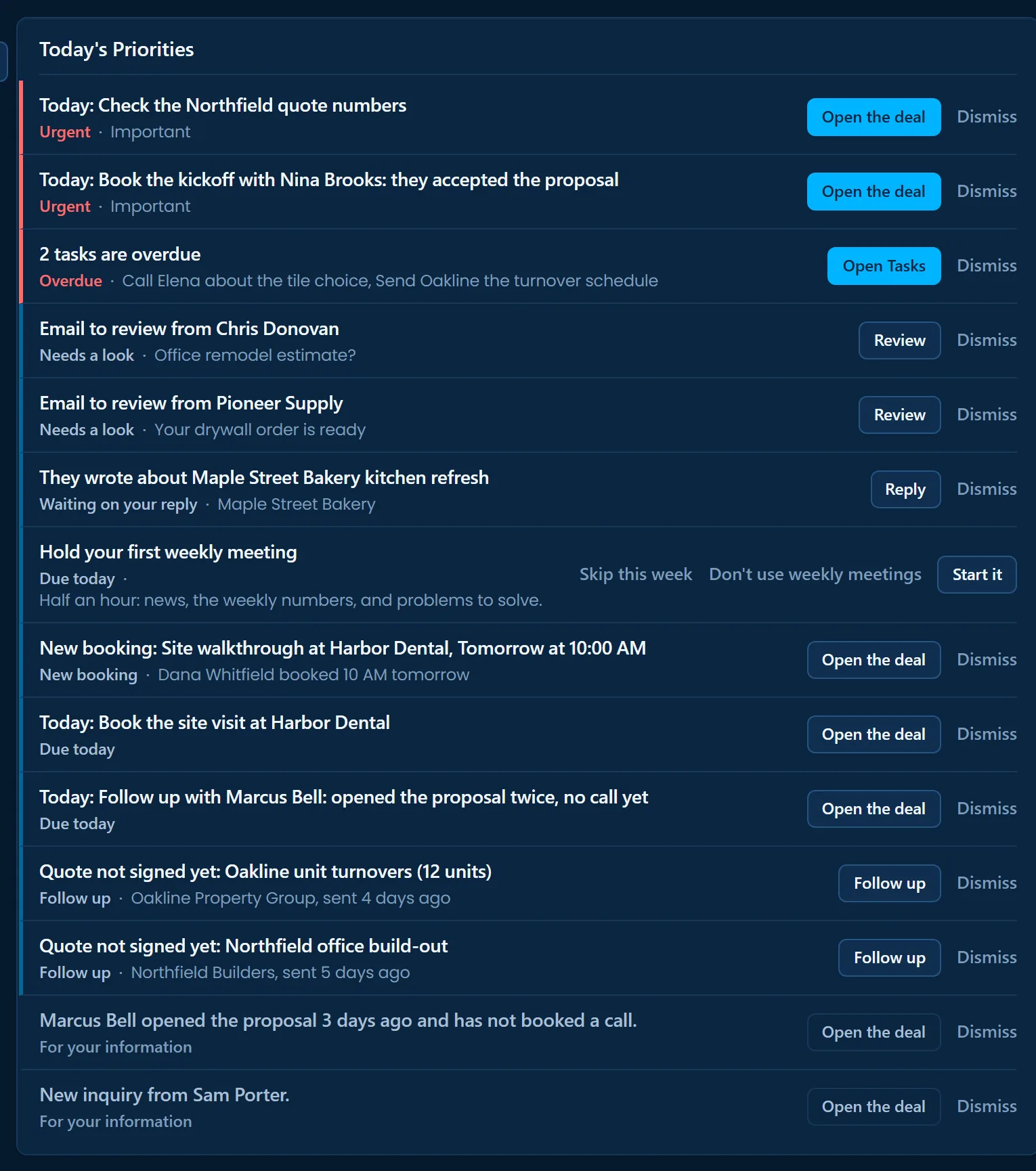
- 1Most urgent first. Overdue tasks and today's commitments at the top.
- 2Each with its next step. Open the deal, review the email, follow up the quote.
- 3Nothing depends on memory. Quiet deals and unsigned quotes come to you.
The weekly meeting
Walk into Monday knowing what needs attention.
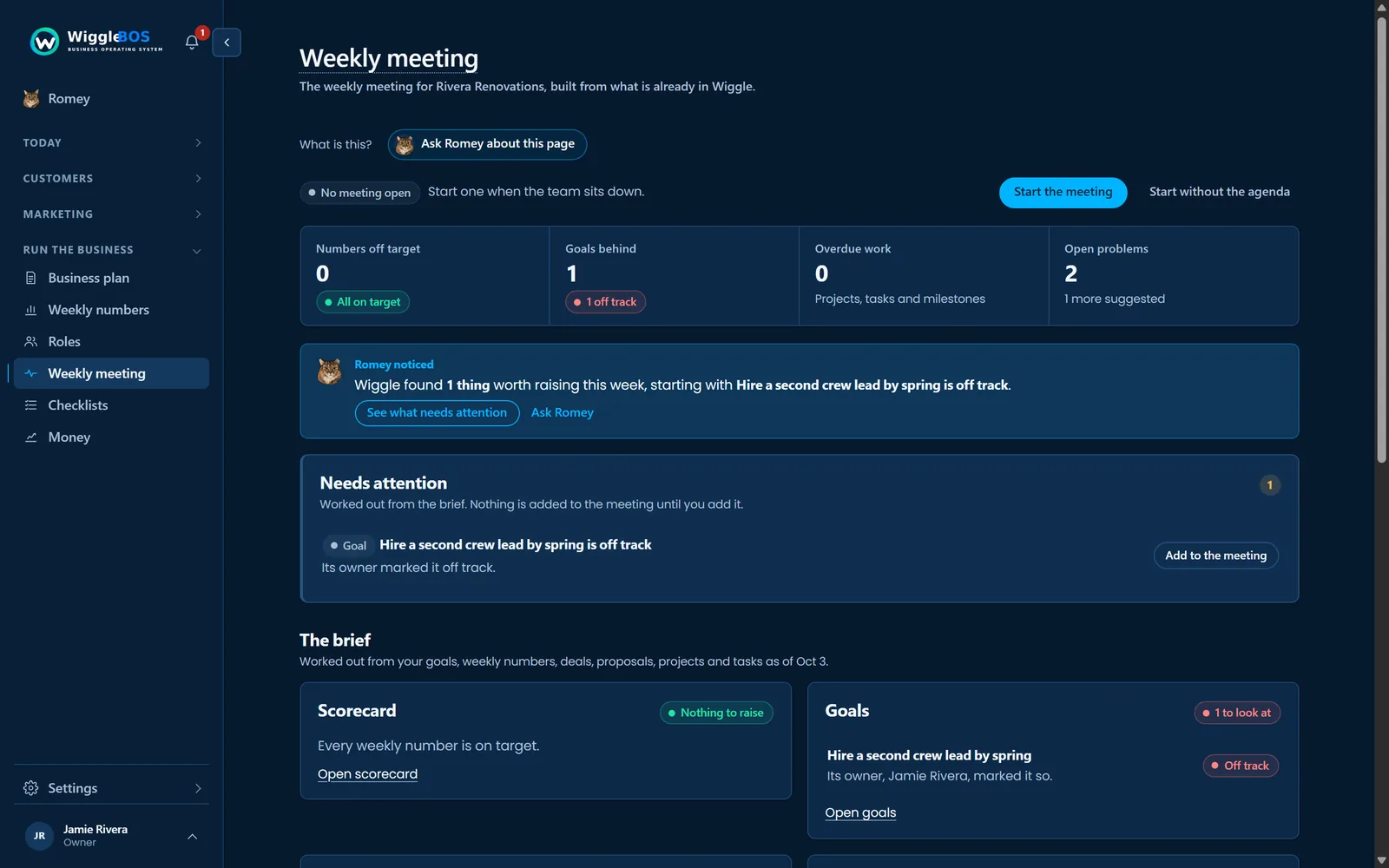
- 1The week at a glance. Numbers off target, goals behind, overdue work, open problems.
- 2What is worth raising. Romey picks out what needs the team.
- 3The brief, already written. From your goals, numbers, deals and tasks.
Money
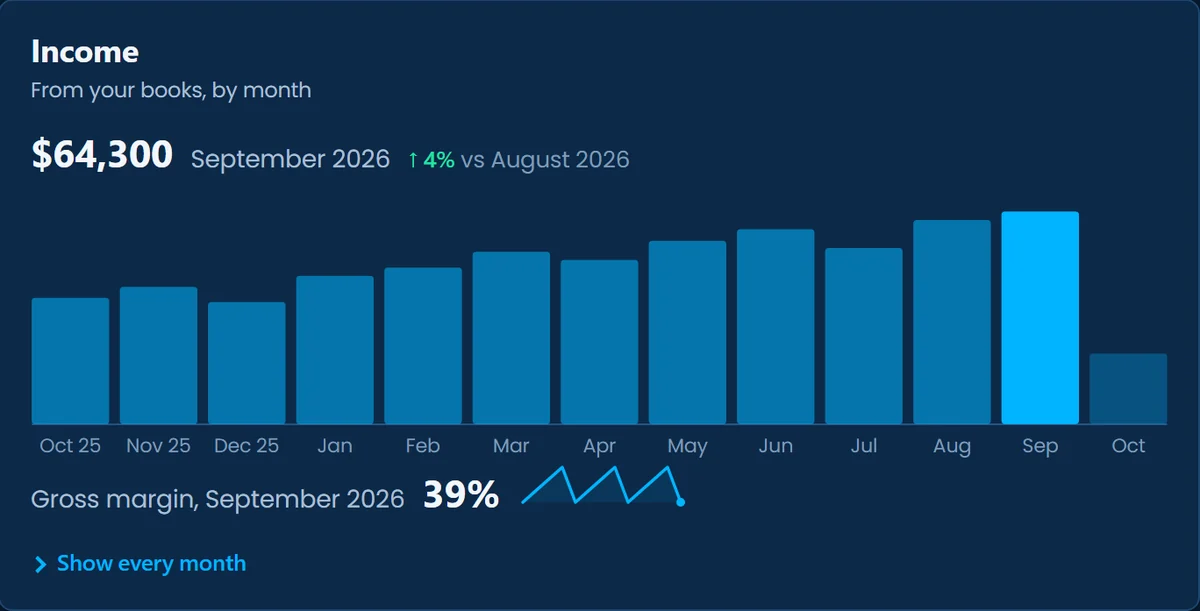
Know where the money stands.
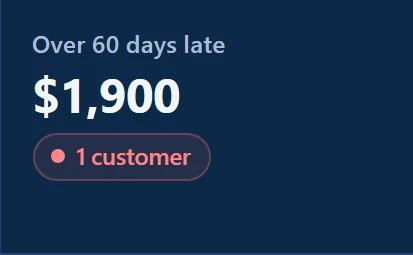
What your books say, in plain terms: what came in, the cash your books record, and who still owes you. Made-up figures for a sample business.


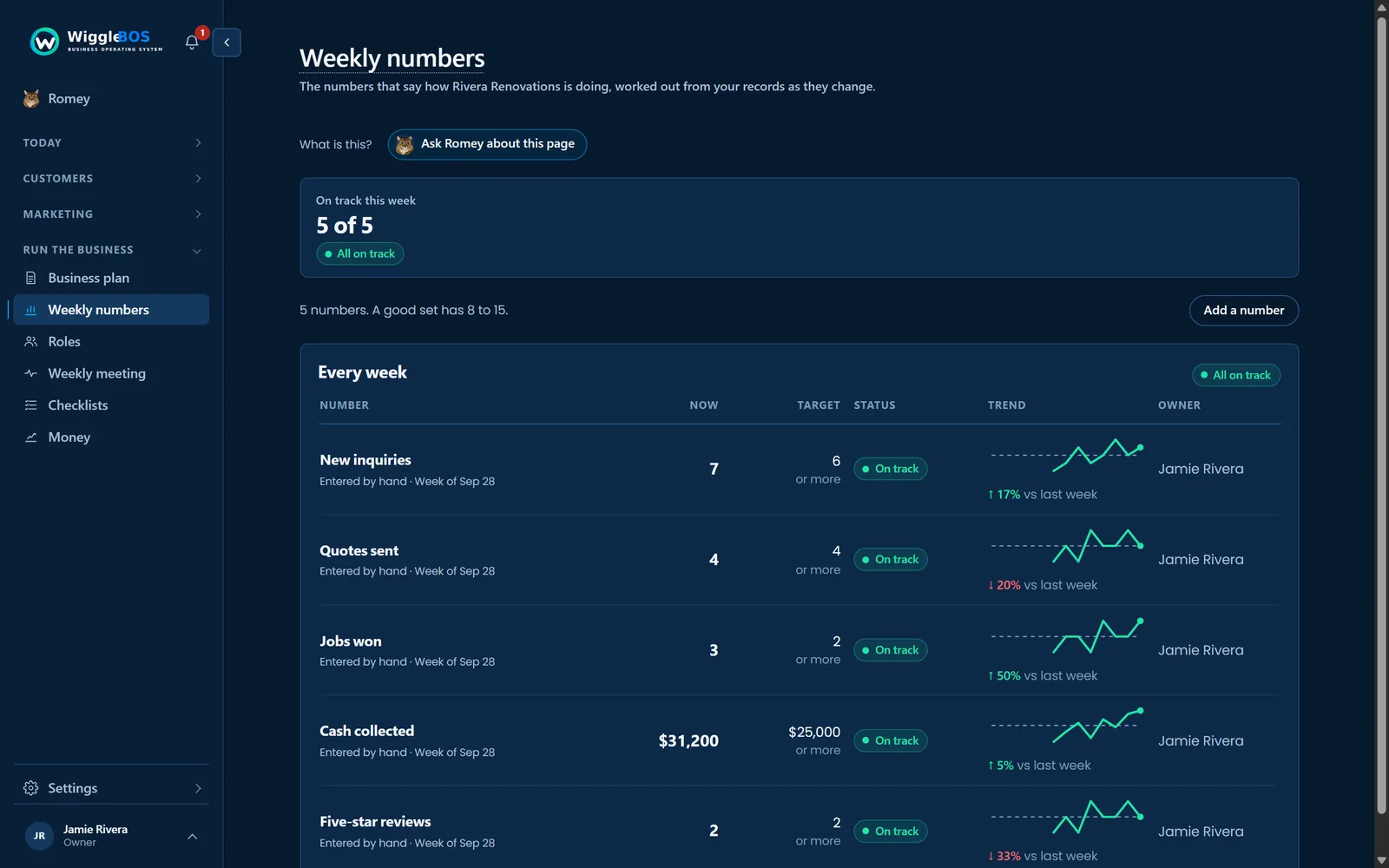
The scorecard
Know if the business is on track.
Romey
Tell it what happened. Romey does the data entry.
Romey can do the work without taking control away from you.
- You sayIn your own words.

Had a great call with Dana at Harbor Dental. She wants a quote by Friday for the office refresh. Update the deal to $18,000 and follow up next Tuesday.
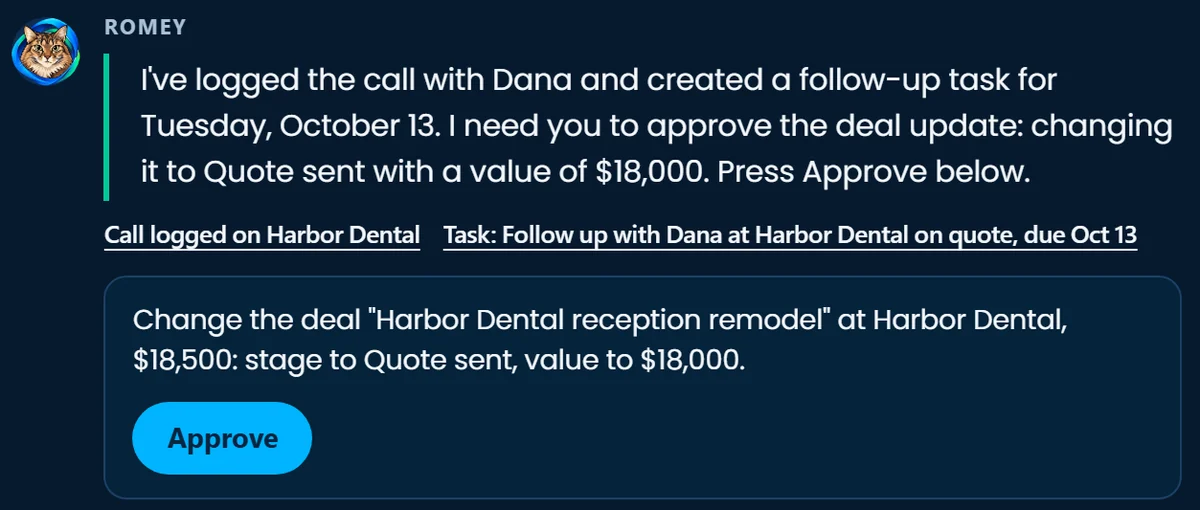
- Romey understandsThe call logged, the follow-up set, and the deal change written out.
Romey
I've logged the call with Dana and created a follow-up task for Tuesday, October 13. I need you to approve the deal update: changing it to Quote sent with a value of $18,000. Press Approve below.
Call logged on Harbor Dental
Task: Follow up with Dana at Harbor Dental on quote, due Oct 13Change the deal "Harbor Dental reception remodel" at Harbor Dental, $18,500: stage to Quote sent, value to $18,000. - You approveOne press, and Wiggle does the work.

Deal: Harbor Dental reception remodel, now Quote sent
Done.
Your wordsWhat it understoodThe changes, written outYour approvalDone
Connections
Keep the tools you already use.
Wiggle becomes the operating system without forcing you to replace everything.
- Microsoft 365
- QuickBooks
- Stripe
- Slack
 Wiggle BOS
- Customers
- Money
- Projects
- Tasks
- Meetings
- Romey
Who it is for
Built for businesses that have outgrown winging it.
You've got customers, employees, projects, money and goals, but they're scattered across apps, spreadsheets and people's heads.
For small and medium businesses
One system for the business you already run.
Wiggle for small businessYour business, your control
Wiggle works for you, not the other way around.
You shouldn't need another job maintaining your business software.
Your business stays yours.
Your customers, your numbers, your voice.
Your data stays reachable.
Export everything, any time, as open files.
Wiggle works around the business.
Not the other way around.
Romey asks first.
Anything that sends, changes something important or deletes waits for your yes. Publishing does too, unless you turn on Automatic posting for your blog.
Specialized tools can stay.
Keep your accounting, office email and payments; Wiggle connects to them.
Less software to look after.
One system instead of ten logins, settings and bills.
You set the direction. Wiggle keeps the business moving.
See it with a sample business that is already running.
The Preview opens soon. Get an email when it does.
See how Wiggle works