
Run the business
Plan the year. Run the week. Know where you stand.
Wiggle includes a planning toolkit built from what it already knows about your business, so planning is not another spreadsheet somebody forgets to update. Switch it on when you are ready.
The Preview opens soon. Get an email when it does.
Start from a checkup
Answer a few plain questions about your business and Wiggle drafts your starting plan: where you are heading, who you serve, suggested goals, the numbers worth watching and what to do first. Keep what fits, change the rest.
A business plan in one place
Why the business exists, where it is going this year and this quarter, and the few big projects that will get it there, each with one owner. Goals roll up from milestones, and every version of the plan is kept.
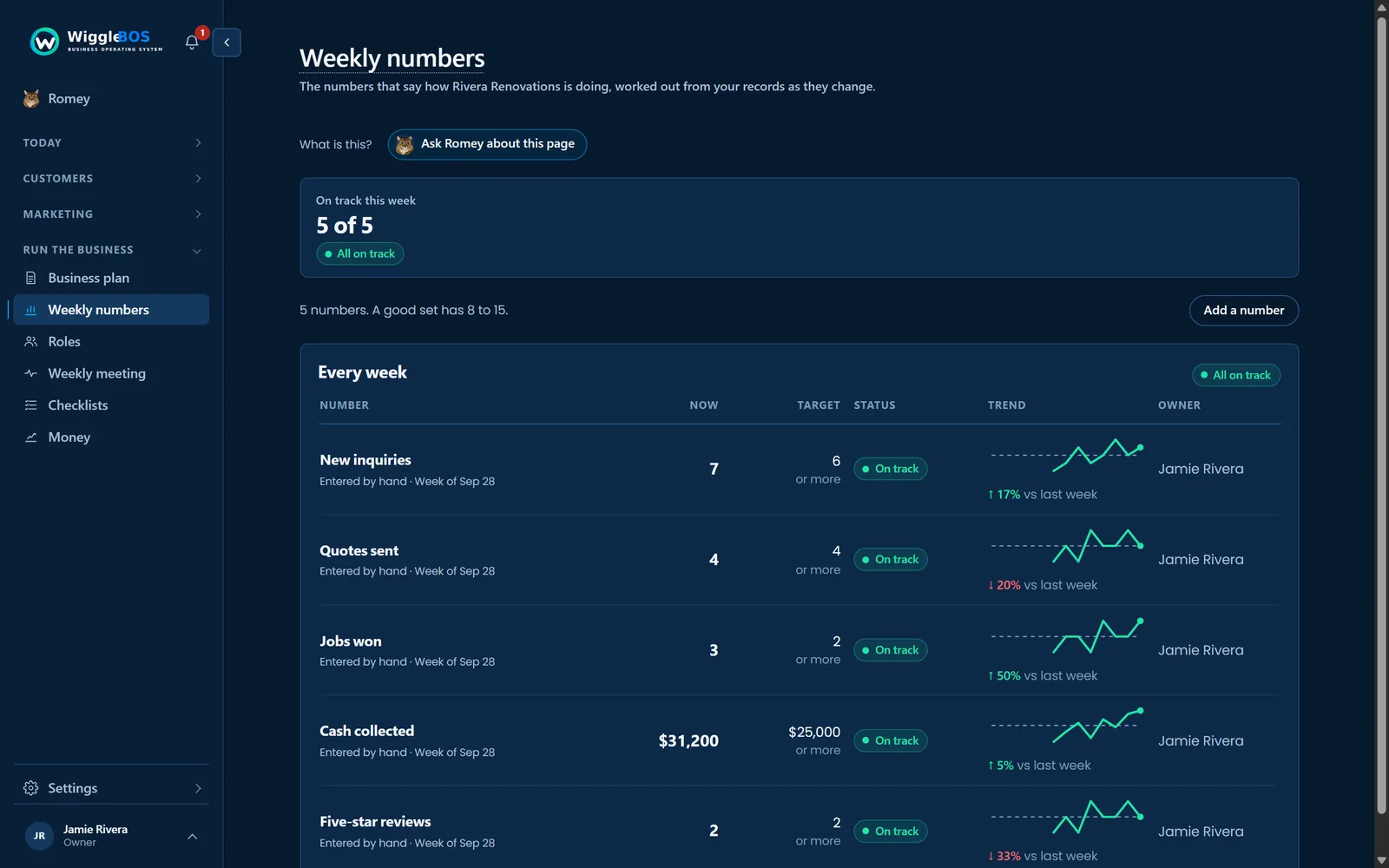
Scorecard
Pick the five to fifteen numbers that tell you at a glance whether the week went well, like quotes sent, jobs booked or cash collected. Many fill themselves in from your own records, each against a target, so problems show up in days rather than months.
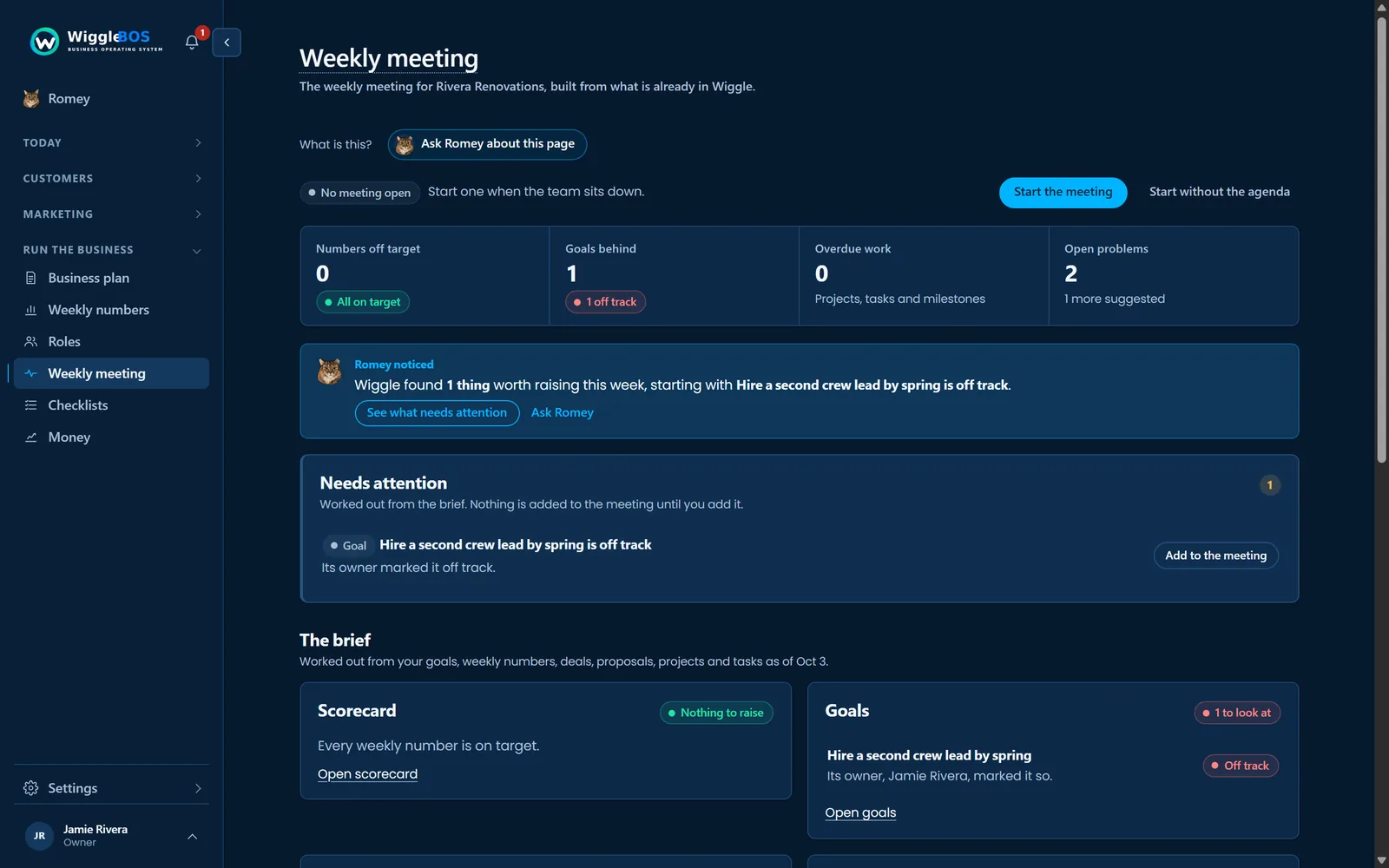
Roles & Accountability and the Weekly Meeting
Write down the jobs your business needs done and who holds each one, including who owns every goal, number and checklist. Then run a 30-minute weekly meeting with the agenda built for you: the numbers, problems to solve, news and the to-dos each person agreed, which land in their task list.
Quarterly Priorities, lined up with the year
Pick the three to five priorities that matter most this quarter and see how each is going. The Alignment view puts every yearly goal on one page with this quarter's work under it, the number that measures it and who owns it, so a goal with no work, no number or no owner stands out. When the quarter ends, review each priority as done, carried over or not done. Quarterly Priorities and the Alignment view are on the Business and Scale plans.
Solve a problem on one page
When the same problem keeps coming back, work through it on one page: the facts, five whys to find the real cause, the fix with an owner and a date, and a check that it held. Romey can draft it for you, and an owner or admin approves it.
Processes & Checklists that run themselves
Write the steps for anything you do more than once, like welcoming a new client, and Wiggle turns them into dated to-dos every time, on a schedule if you like. Start from ready-made examples and see where things tend to get stuck.
Financial Overview, read-only
See what came in and what you are owed from Stripe and PayPal, read without ever changing anything. Only the people you choose can see the money. From QuickBooks, see your profit and loss, balance sheet, cash flow, bills and expenses by vendor, and your sales from Square, all read only. If your books cannot be read, Wiggle says so. It never shows a guess or $0.
Where your cash is heading
Cash Forecast shows where your cash is heading over the next 3, 6 or 12 months as a range, from cautious to hopeful, worked out from your books, your payments and the work already contracted, with how each number was reached. Try a what-if, like a new hire or a price rise, and see the line move. Then build a plan for the next 12 to 48 months from your customers, income and costs. Cash Forecast is on the Business and Scale plans, for the people who can see the money.